HeroCTF v7: Tomwhat
HeroCTF v7 was a Capture the Flag event that took place during the last weekend of November. I participated online and was able to solve a few of the interesting challenges.
The first thing we see is a fresh Tomcat installation, which appears to be the newest version.
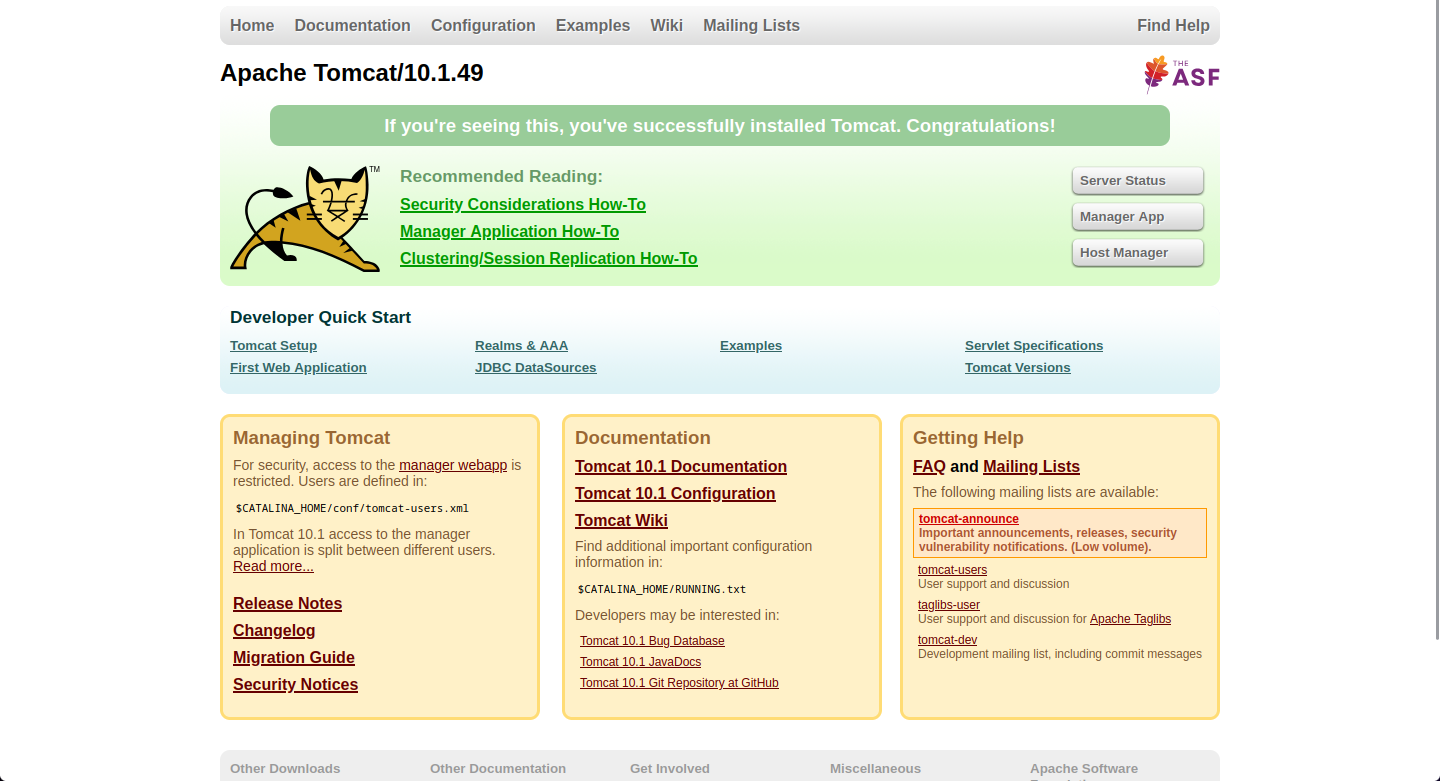
Nothing to see here really. Let’s look at the files that were provided together with the challenge.
[fuzzywood$] unzip Tomwhat.zip
Archive: Tomwhat.zip
creating: Tomwhat/
inflating: Tomwhat/docker-compose.yml
creating: Tomwhat/challenge/
inflating: Tomwhat/challenge/Dockerfile
creating: Tomwhat/challenge/dark/
creating: Tomwhat/challenge/dark/WEB-INF/
inflating: Tomwhat/challenge/dark/WEB-INF/web.xml
creating: Tomwhat/challenge/dark/WEB-INF/classes/
creating: Tomwhat/challenge/dark/WEB-INF/classes/com/
creating: Tomwhat/challenge/dark/WEB-INF/classes/com/example/
creating: Tomwhat/challenge/dark/WEB-INF/classes/com/example/dark/
inflating: Tomwhat/challenge/dark/WEB-INF/classes/com/example/dark/AdminServlet.java
inflating: Tomwhat/challenge/dark/WEB-INF/classes/com/example/dark/DarkServlet.java
creating: Tomwhat/challenge/light/
creating: Tomwhat/challenge/light/WEB-INF/
inflating: Tomwhat/challenge/light/WEB-INF/web.xml
creating: Tomwhat/challenge/light/WEB-INF/classes/
creating: Tomwhat/challenge/light/WEB-INF/classes/com/
creating: Tomwhat/challenge/light/WEB-INF/classes/com/example/
creating: Tomwhat/challenge/light/WEB-INF/classes/com/example/light/
inflating: Tomwhat/challenge/light/WEB-INF/classes/com/example/light/LightServlet.java
inflating: Tomwhat/challenge/run.sh
By looking at the files closer, we seem to be dealing with a Jakarta EE application running inside a Dockerized Tomcat container. We can see how everything is built inside the run.sh script.
run.sh
...
# not the same password on remote :)
sed -i '$i\
<role rolename="manager-gui"/>\
<role rolename="admin-gui"/>\
<user username="admin" password="7296e780-c21b-11f0-9a52-a357fb24b9e2" roles="manager-gui,admin-gui"/>\
' $CATALINA_HOME/conf/tomcat-users.xml

# Light side
cd $CATALINA_HOME/webapps/light && \
    javac -cp "$CATALINA_HOME/lib/*" $(find WEB-INF/classes -name "*.java")

# Dark side
cd $CATALINA_HOME/webapps/dark && \
    javac -cp "$CATALINA_HOME/lib/*" $(find WEB-INF/classes -name "*.java")


/usr/local/tomcat/bin/catalina.sh run
Looks like we are dealing with a Star Wars fan. Before we continue with the “Dark” and the “Light” side, we double-check if the credentials provided in the run.sh were actually changed in the remote challenge. Indeed, they were. If they hadn’t been changed, we would have gained access to the Tomcat Manager App immediately. So, let’s quickly start at the Light Side.
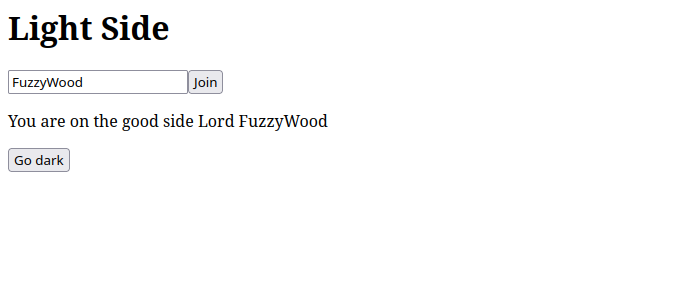
Great, we are greeted as part of the Light Side now. Let’s quickly take a look at what the Dark Side has to offer.
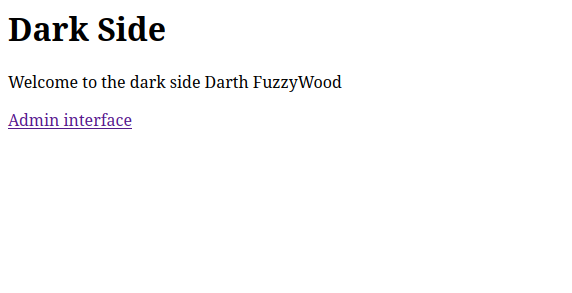
“Admin Interface” sounds alluring. However, clicking on it leads to immediate disappointment.
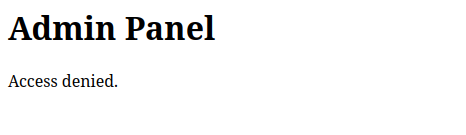
Let’s take a deeper look into the application and the Java code responsible for this.
AdminServlet.java
public class AdminServlet extends HttpServlet {

    @Override
    protected void doGet(HttpServletRequest req, HttpServletResponse resp)
            throws ServletException, IOException {

        resp.setContentType("text/html;charset=UTF-8");

        HttpSession s = req.getSession(false);
        String username = s == null ? null : (String) s.getAttribute("username");

        StringBuilder html = new StringBuilder("<html><body><h1>Admin Panel</h1>");

        if ("darth_sidious".equalsIgnoreCase(username)) {
            html.append("<p>Welcome Lord Sidious, Vador says: Hero{fake_flag}.</p>");
        } else {
            html.append("<p>Access denied.</p>");
        }

        html.append("</body></html>");
        resp.getWriter().write(html.toString());
    }
}
So far, nothing unusual. The application uses the built-in HttpSession functionality to save a username attribute. Since HttpSession data is stored server-side and only referenced by a session ID (JSESSIONID), the data cannot be directly manipulated by the client. So how does the session get created in the first place?
LightServlet.java
...
protected void doPost(HttpServletRequest req, HttpServletResponse resp)
        throws ServletException, IOException {
    String username = req.getParameter("username");
    if ("darth_sidious".equalsIgnoreCase(username)) {
        req.setAttribute("error", "Forbidden username.");
        doGet(req, resp);
        return;
    }
    req.getSession().setAttribute("username", username);
    resp.sendRedirect(req.getContextPath() + "/");
}
Well, that’s a bummer. The application won’t let us set the username attribute to darth_sidious no matter what. Even after trying standard tricks like inserting null bytes or Unicode-alike characters, I was still met with the same error message.

Now we have to look for other clues. When I looked at the run.sh script again, one particular line caught my eye.
run.sh
...
find $CATALINA_HOME -name "context.xml" -print0 | while IFS= read -r -d '' f; do \
      sed -i 's/<Context>/<Context sessionCookiePath="\/">/' "$f"; \
      sed -i '/<\/Context>/i\    <Valve className="org.apache.catalina.valves.PersistentValve"/>\n    <Manager className="org.apache.catalina.session.PersistentManager">\n        <Store className="org.apache.catalina.session.FileStore" directory="'"$CATALINA_HOME"'/temp/sessions"/>\n    </Manager>' "$f"; \
done
...
It is interesting that the sessionCookiePath for the Jakarta EE application is set to /. Usually, you would have separated cookie paths for each application context. This behavior enables an insecure application on the same machine to potentially compromise other applications by sharing the session.
So far, the code we looked at seems secure. But are there any other applications running besides the Star Wars apps?
The answer is: Yes! Remember the default Tomcat post-installation page? Leaving those default pages activated can often cause security issues. In this case, Tomcat ships with a bunch of example applications, and one is particularly interesting to us.
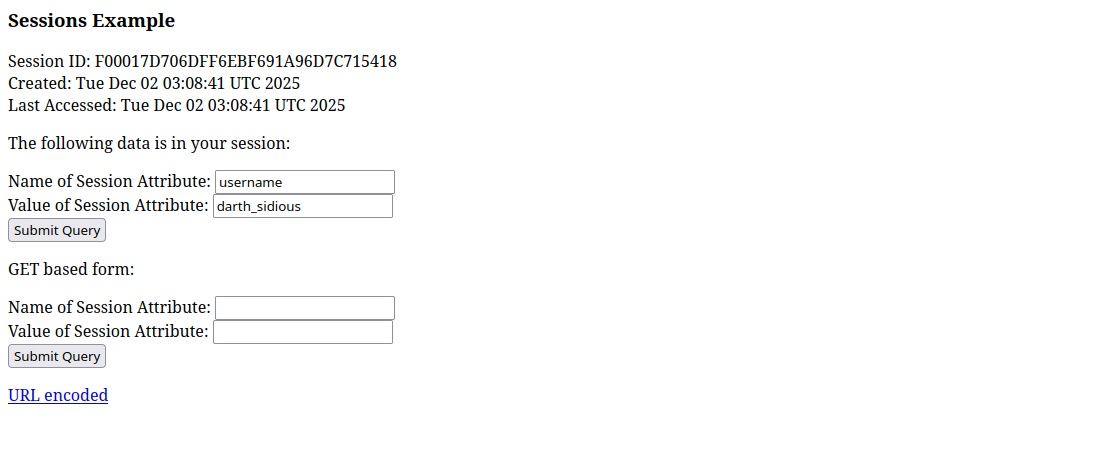
Look at that! This seems to be the exact application we were looking for. The Session Example app allows us to set arbitrary session attributes. If we now manually set our username attribute to darth_sidious there and revisit the admin interface, we get greeted by this:

We successfully compromised the admin interface from the dark side, what a gread day for the light side! And what a perfect example of what can happen if you decide to leave post-installation defaults exposed! Also checkout my other Writeup which happens to be another HeroCTF challenge.